Hybrid CMS Migration
Preserving Content, User Experience, and Visibility

When the technology is ready, but the content is still missing
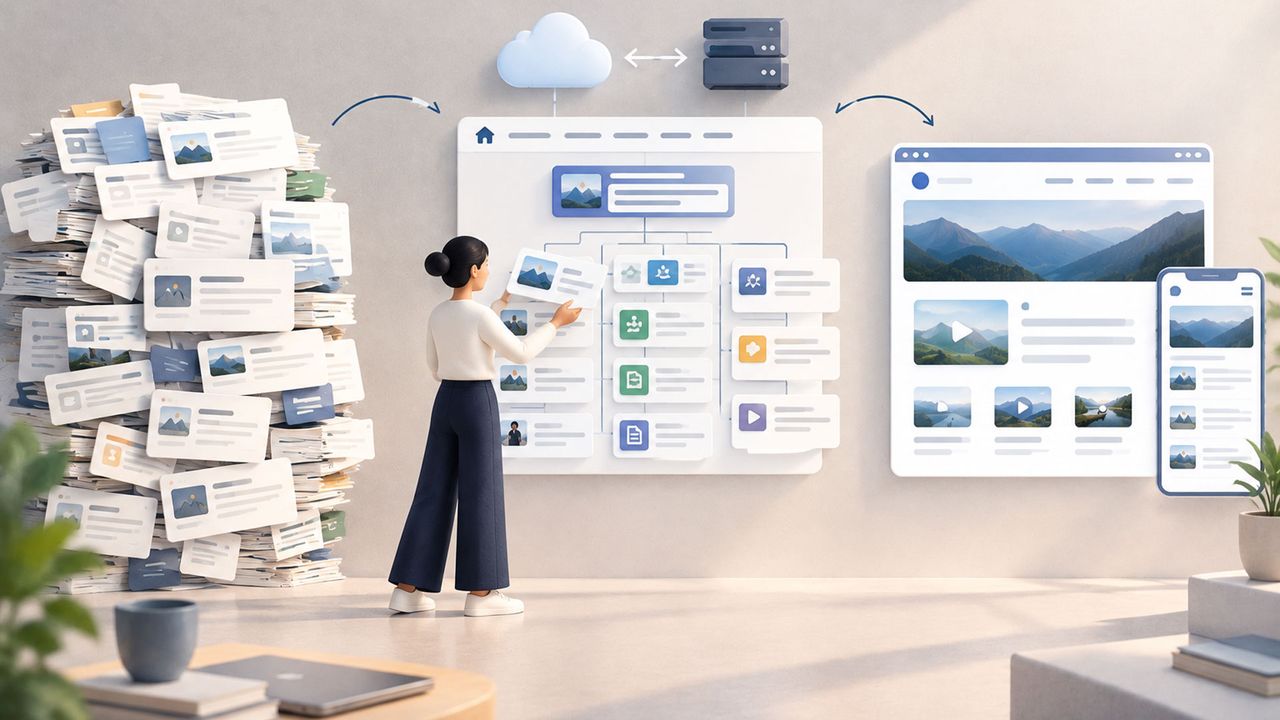
Migrating to a headless CMS is an important step toward a Digital Experience Platform (DXP). But a successful migration involves more than switching technologies: existing content must also be reviewed, structured appropriately, and prepared for the new system.
In our content series on the migration project for Stadtwerke Düsseldorf, we showed how hundreds of pages can be transferred efficiently to a new CMS through a hybrid migration approach – automated wherever practical and handled manually wherever quality and subject-matter expertise are essential. Our experience from other portal projects shows that the biggest challenge often lies not in the technology, but in the content. Duplicate content, outdated PDFs, and inconsistent language can quickly become a problem if everything is migrated without prior review. At the same time, a relaunch can affect search engine visibility, for example through changed URLs or missing redirects. Visibility in AI-powered answer systems can also suffer if content is poorly structured or key information is missing.
The good news: By considering content strategy, UX, SEO, and GEO from the very beginning of a CMS migration, you create more than just a new technical foundation. You build a digital presence that makes content easier to understand, better supports users, and remains visible over the long term.
Content first!
Why a CMS migration is more than an IT project
From content inventory to a clear migration strategy
“We have several thousand URLs” does not, by itself, tell you which content really matters or how much effort migrating it will require. What matters is the value each page provides, how effectively it reaches its target audience, and how important it is to the organization.
The first step is therefore to gain a comprehensive overview of the existing content. A content inventory brings together technical data from the CMS, usage data from analytics and Google Search Console, and insights from the editorial team. Special content such as campaigns, embedded applications, and legally relevant information should also be taken into account.
A few key questions can help assess the value of each page and the effort required to migrate it:
What purpose does the page serve? Does it provide information, support a service, or build trust?
How relevant is the content? How many users does it reach? Which conversions or other business objectives does it support?
Is the content still up to date? Is the information factually correct and legally current?
How good is the user experience? Is the page easy to understand, mobile-friendly, and accessible?
Does the content fit the new system? Can it be meaningfully integrated into the new content model and design system?
What impact will the migration have on visibility? Are there important rankings and backlinks? Will the content remain easy to find and cite for search engines and AI-powered answer systems?
Based on this assessment, the appropriate approach can be determined for each page:
Revise and migrate: Content is updated and adapted to the new platform.
Transfer and review: Suitable pages are migrated largely unchanged and checked afterwards.
Consolidate content: Several pages covering similar topics are combined into one central, comprehensive page.
Retire deliberately: Content that is no longer needed is removed and, depending on the situation, handled with a redirect or a 410 status code.
It is important that these decisions are made collaboratively. Editorial teams, subject-matter experts, UX, and SEO/GEO specialists should assess and approve content together for each migration phase. This establishes clear responsibilities and prevents coordination across thousands of individual pages from becoming unnecessarily time-consuming.

How content influences the user experience
A technically flawless migration does not automatically result in a good user experience. If existing content is simply transferred one-to-one, it often fails to fit the new design and frontend functionality. Long blocks of text, unclear headings, or missing media can make it difficult for users to find important information.
Content migration should therefore always include a review of the content itself and how it is presented. A few fundamental aspects are particularly important:
Consider different content types: A service page serves a different purpose from a magazine article, help section, or press release. Page structure and user journeys should reflect these differences.
Use consistent terminology: A shared glossary ensures that specialist terms are used consistently across the website and explained clearly. This also helps search engines and AI systems understand the subject matter.
Consider accessibility from the outset: A clear heading structure, plain language, and descriptive link text improve orientation and accessibility for all users.
Design content models thoughtfully: The new CMS should contain only the fields and components that are actually needed for editorial work and frontend presentation.
This ensures that migrated content is not simply transferred into the new system, but meaningfully integrated into the new user experience. The result is a website that is clear, consistent, and easy to use.

Structure, not a one-to-one copy
How to make hybrid CMS migration work.
When migrating a CMS, one question quickly arises: Which content can be transferred automatically, and where does manual editing make sense? Both approaches have advantages, but also limitations.
Automated migration saves time and effort, especially when dealing with large volumes of similarly structured content. However, it also carries the risk of transferring existing problems directly into the new system. These might include broken links, incomplete metadata, or content that does not fit the new frontend properly.
Manual migration offers greater control. Content can be revised, restructured, and optimized specifically for SEO and UX. However, handling several hundred or thousand pages manually is time-consuming and requires a suitably trained editorial team.
Hybrid CMS migration combines the advantages of both approaches: standardized content and simple structures are transferred automatically. Complex, particularly important, or frequently accessed pages are reviewed manually and revised where necessary. Ideally, the migration is already based on a frontend concept that takes usability, SEO, and accessibility requirements into account.
A look ahead: From automated migration to agentic workflows
The next stage goes beyond automating individual migration steps: AI agents could increasingly take on tasks throughout the migration process – from analyzing and evaluating existing content to mapping it to new content models and supporting quality assurance. Standardized interfaces such as the Model Context Protocol (MCP) make it possible to connect different systems and tools.
We will explore the opportunities these agentic workflows create for CMS and DXP environments in a dedicated article.
Which content is suitable for which migration approach?
Not every piece of content requires the same level of effort. The decisive factors are its complexity, relevance, and requirements for how it will be presented in the future.
Automated migration: Simple text-and-image pages, standardized content, and metadata can usually be transferred automatically. It is important to check URLs, page titles (title tags), meta descriptions, and canonical tags afterwards.
Hybrid migration: Magazine articles, guides, and pages with more complex modules benefit from a combination of automated transfer and editorial refinement. This preserves the basic structure while allowing content to be improved where necessary.
Manual migration: Forms, legally relevant content, and service pages that require detailed explanations should be transferred individually and reviewed by subject-matter experts. Accuracy and clear user guidance are particularly important here.
Create new content: When several existing pages are consolidated into one central answer page, a complete editorial revision is worthwhile. The most important information should appear right at the beginning so that users can find answers quickly and search engines and AI systems can better understand the content.
Build quality in from the start
A successful migration does not depend on the chosen technology alone. The editorial team also needs to understand what matters when transferring and revising content.
Train editors before the second migration phase begins. In addition to learning how to use the new CMS, they should be introduced to shared quality criteria: clear language, consistent terminology, accurate metadata, meaningful headings, and a user-friendly structure. This creates a consistent content base step by step, making full use of the new CMS and providing a strong foundation for SEO, GEO, and a compelling user experience.
SEO during CMS migration: Maintaining search engine visibility
A website relaunch can have a direct impact on search engine visibility. If URLs change, redirects are configured incorrectly, or internal links are not updated, important rankings and backlinks can be lost. In the worst case, search engines may no longer find relevant content, or users may land on pages that are no longer accessible.
To prevent this, SEO should be an integral part of the CMS migration from the very beginning. Five measures are particularly important:
Create a redirect map
Based on the content inventory, assign an appropriate destination to every existing URL. Content that has permanently moved should receive a 301 redirect. Pay particular attention to pages with high traffic, strong rankings, or valuable backlinks.
Run a staging crawl
Before going live, crawl the staging environment to check whether redirects work correctly. Internal links, metadata, canonical tags, and indexability should also be reviewed.
Monitor search visibility
After launch, Google Search Console, server logs, and the analysis of 404 errors help identify technical issues and potential ranking losses at an early stage.
Improve content SEO
The migration provides an opportunity to optimize existing content. Page titles and meta descriptions should match search intent. Internal links and thematic overview pages (content hubs) can also be reviewed and improved.
Document removed content
Not every old page needs to be migrated. For removed content, check whether a redirect to a relevant successor page makes sense. If there is no suitable replacement, a 410 status code can signal permanent removal.
Treating migration as a strategic collaboration between editorial, UX, and visibility teams does more than deliver a new backend – it creates a clearer digital presence.
GEO during CMS migration: Staying visible in AI-powered answers
GEO (Generative Engine Optimization) aims to prepare content so that AI-powered search and answer systems can understand it and consider it as a source of information. A CMS migration offers an opportunity to establish the right foundations. Even if search engine rankings remain stable, visibility in AI-generated
answers can decline after a relaunch. To strengthen visibility over the long term, GEO should be considered from the outset. After going live, you should check which topics your brand appears for in AI-generated answers and where opportunities exist. In the context of content and migration projects, we use tools such as OtterlyAI. To connect traditional SEO and GEO, we work with partners such as Kosch Klink Performance.
Three measures are particularly important:
Answer first
Answer the central question directly at the beginning of important pages.
Consolidate duplicate content
Create one central page per topic instead of maintaining five similar URLs.
Support facts with evidence
Add sources, context, and information about when figures and statements were last updated.


From inventory to go-live
How we support migrations holistically.
Planning, training, and quality assurance
A successful CMS migration starts with clear planning. We analyze the existing content, create a migration plan, and align the content model with the design system. Together, we determine which content will be migrated automatically, revised manually, or created from scratch. Before go-live, we review content, redirects, and technical quality. At the same time, we prepare the editorial team for the new CMS and support the launch and subsequent optimization.
At Ergosign, the user perspective is always at the center of our approach. Every migration is different. What matters is structuring content effectively, improving the user experience, and securing long-term digital visibility.

Our hybrid CMS migration checklist
The key steps for content, UX, and visibility.
Content inventory
Capture and evaluate existing content and plan migration waves.Document the baseline
Record traffic, rankings, and important URLs before the relaunch.Content model and design system
Define structures and components before migration begins.Migration rules
Determine which processes should be automated and which ones should be handled manually for each content type.Redirects and testing
Create a redirect map and perform staging crawls as well as launch checks.Editorial team
Train teams and establish quality criteria for UX, accessibility, and clear, understandable content.SEO and GEO
Monitor search engine rankings and visibility in AI-powered answer systems after go-live.Retrospective
After approximately 90 days, consolidate, retire, or refine content based on data.
Planning a CMS migration?
We support you from content analysis and UX design through hybrid migration to go-live. We combine technical implementation with editorial quality, accessibility, and sustainable visibility in search engines and AI-powered answer systems.
Let's work together to make your CMS migration a success.